
Winadda Login
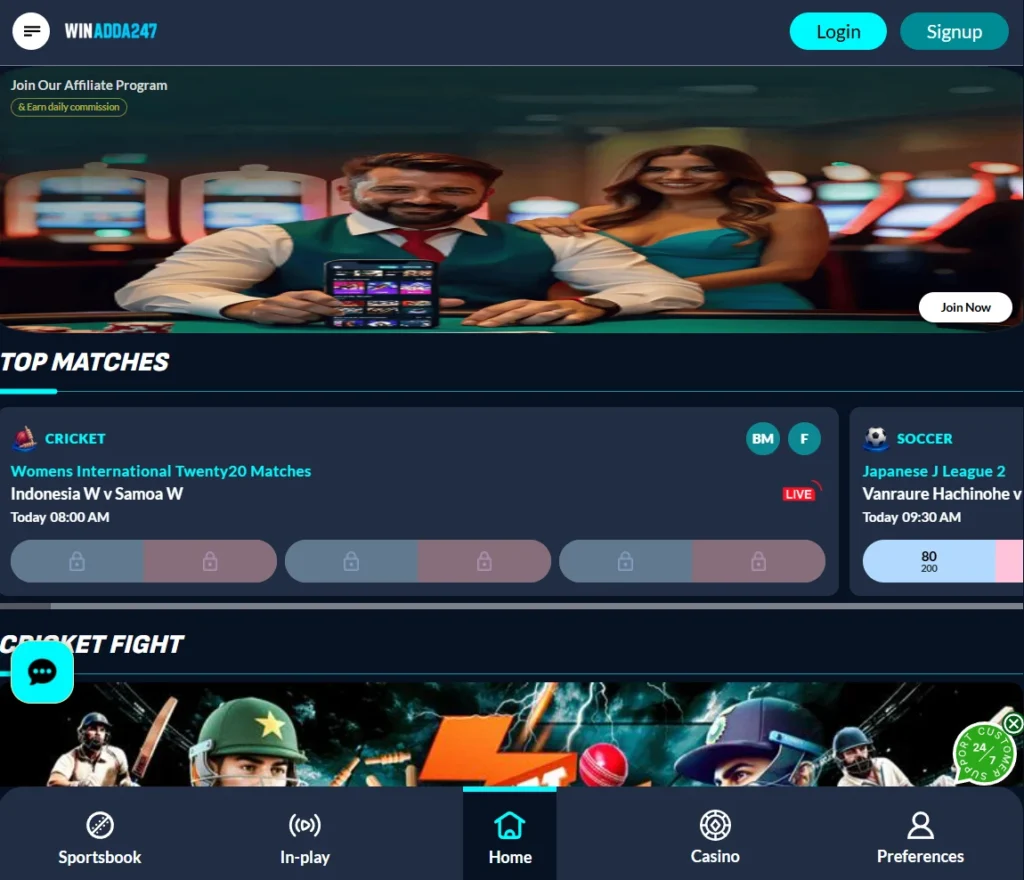
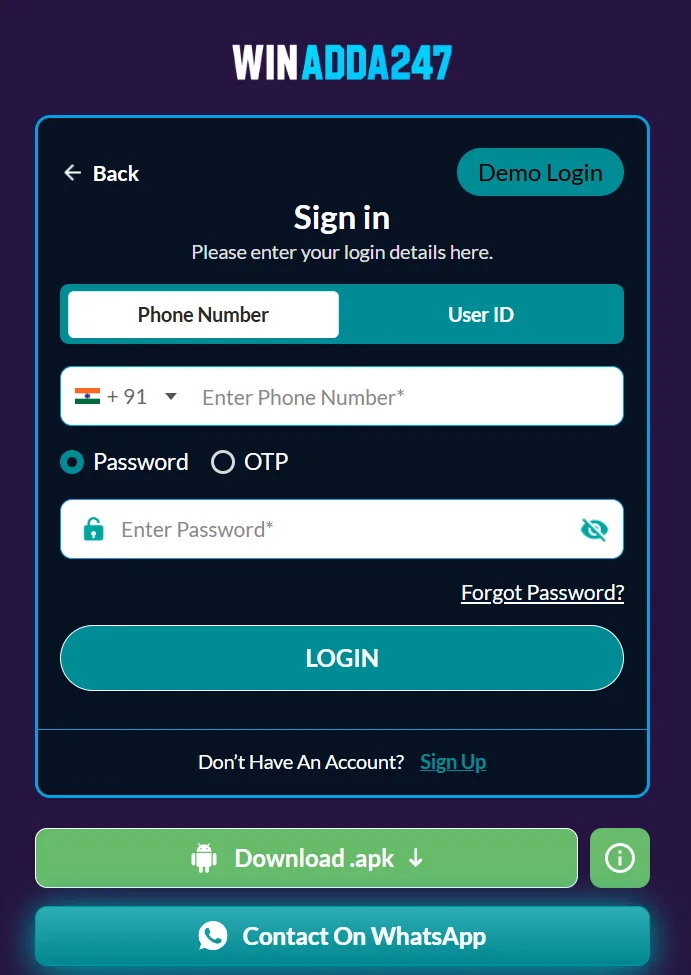
To log in to Winadda, open the official site’s login page and enter your registered username/mobile number and password; some accounts may also require an OTP.
Before entering your username, mobile number, password, or OTP, verify that you are using the official Win Adda website or app. Several similarly named Win adda domains may exist, so checking the exact website address can help reduce the risk of entering your credentials on an untrusted website. If you cannot remember your password or username, the login page may provide a Forgot Password or Forgot Username/Password option.
Login to Winadda
Use your registered username or mobile number.
New to Winadda? Create your Win Adda ID
This site is protected by reCAPTCHA and the Google Privacy Policy and Terms of Service apply.
By logging in, you agree to the Winadda Terms & Conditions and Privacy Policy. 18+ only. Play responsibly.
Winadda Login Steps
Login steps
- Go to the WinAdda login page, such as wiinadda.com/login.
- Enter your registered username or mobile number.
- Enter your password.
- Tap Login; if prompted, complete OTP verification.
- If you forgot your password, select Forgot Password, enter your registered phone/email, then follow the OTP or reset link.
How Do I Reset My Winadda Password?
Reset steps
- Open the WinAdda login page, for example wiinadda.com/login.
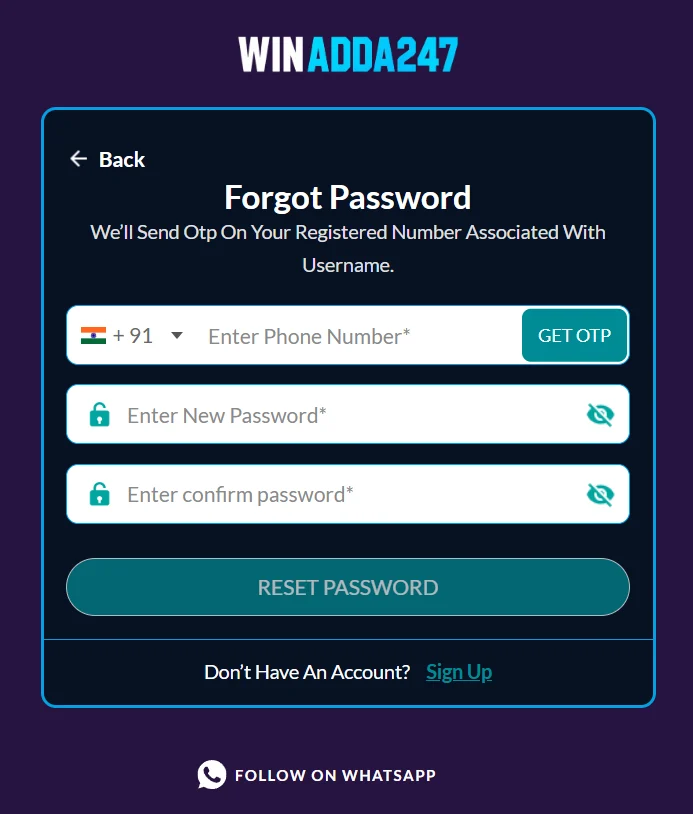
- Select Forgot Password? beneath the login fields.
- Enter the mobile number or email linked to your account.
- Enter the OTP or open the reset link sent to your registered contact.
- Set a new, unique password and confirm it, then log in with the new password.
If the reset fails
- Confirm you are on the official Win Adda site/app; several similarly named domains exist, so don’t enter credentials on links from unknown messages.
- Check spam/junk folders if the reset code or link was sent by email, and make sure your SIM can receive SMS.
- If your account is temporarily locked after repeated incorrect attempts, wait for the lock to clear or contact Win Adda support for a manual reset.
- Never share an OTP or password with anyone claiming to be support.
- Choose a password you do not use elsewhere, ideally with a mix of letters, numbers, and symbols.
What Benefits Will I Get and How Is Win adda Better With Other Platforms?
Winadda’s advertised benefits are fast INR deposits/withdrawals, 24/7 support, casino games, sports betting, and promotional bonuses. However, it is not clearly comparable to established, regulated bookmakers, and many “Winadda” domains exist so verify the exact site before depositing.
India-focused payments
UPI, PhonePe/Paytm-style local methods, and INR transactions are commonly promoted by Indian betting platforms.
Fast transactions
Win Adda advertises fast deposits and withdrawals, with 24/7 customer support.
Wide game selection
The platform promotes both casino games and sports betting markets.
Promotions
Some WinAdda pages advertise deposit bonuses and daily offers; terms, wagering requirements, and eligibility can vary.
Mobile access
You can generally use it through a mobile browser or an app where offered.
How Winadda Compares With Other Platforms
| Feature | WinAdda | Major international platforms (e.g., Dafabet, Stake, 1xBet) | Typical Indian-focused betting sites |
|---|---|---|---|
| Payments | UPI/local methods and INR advertised; speed claims vary by site. | UPI, bank transfer, cards, e-wallets, and sometimes crypto. | UPI, Paytm, net banking, cards, and e-wallets are common. |
| Withdrawal speed | “Fast withdrawals” is advertised, but no independently verified standard timeframe is clear. | Often hours to 1–3 business days, depending on method and KYC. | UPI/e-wallets may take hours; bank transfers 1–3 days. |
| Bonuses | Deposit bonuses and promotional offers are advertised. | Often larger, clearly published welcome bonuses, such as Dafabet’s 200% up to ₹20,000 or Stake’s 200% up to ₹120,000. | Bonuses vary widely and usually carry wagering conditions. |
| Sports and casino | Both casino and sports betting are offered. | Usually broader sports coverage, live betting, casino, and sometimes crypto features. | Sports and casino offerings vary by operator. |
| Brand trust | Multiple similarly named domains make verification important. | More established brands have longer public track records, though many operate offshore. | Trust depends heavily on licensing, reviews, and payment history. |
| Support | 24/7 support is advertised. | Most major platforms provide 24/7 chat/email support. | Support quality varies substantially. |
Important Caution
Online betting and casino gaming involve financial risk, and India’s rules can differ by state. Before using Win adda, confirm the exact official domain, read the bonus wagering and withdrawal terms, complete KYC only through the official site, and never deposit more than you can afford to lose.
How to Keep My WinAdda Account Safe?
Keep your WinAdda account secure by using a strong, unique password, protecting your OTP, and accessing the platform only through its official website or app. Win Adda specifically advises protecting credentials, using strong passwords, keeping recovery details updated, and avoiding untrusted devices or suspicious websites.
Use a unique password
Make it long and hard to guess, and do not reuse it on other sites or apps.
Never share your OTP
No legitimate support agent, bank, or platform will ask for your OTP, password, PIN, CVV, or card details.
Verify the website before logging in
Check the exact URL and avoid links from SMS, WhatsApp, Telegram, or email; many similarly named “WinAdda” sites exist.
Enable two-factor authentication if available
Prefer an authenticator app over SMS-based OTP where the platform supports it.
Keep your recovery information current
Maintain an accurate registered mobile number and email so you can recover the account if needed.
Avoid public Wi-Fi and shared devices
Use your mobile data or a trusted home network for logins and payments.
Keep your device updated
Install browser, operating-system, and security updates regularly.
Log out after use
Especially on a borrowed phone, cyber café computer, or any device you do not fully control.
Monitor transactions
Review deposits, withdrawals, and login activity; report unauthorized access immediately through official support.
Be skeptical of “support” contacts
Do not trust unsolicited calls, Telegram groups, or messages offering bonuses, account recovery, or withdrawal help. Contact support only through the official website.
If Something Looks Wrong
Change your password immediately, log out of all sessions if the option exists, and contact official WinAdda support. If you suspect an OTP scam, do not approve or share any code, and report suspicious messages or calls rather than responding to them.
WinAdda Login Quick Troubleshooting
If you are having trouble accessing your account, follow these checks:
- Confirm you are using the official Win Adda domain, since multiple similarly named sites exist.
- Check your username/mobile number, password, internet connection, and browser version.
- If needed, use Forgot Username/Password? and reset via OTP.
- If the issue continues, contact official support—but never share your password or OTP.
FAQs About Winadda Login
Here are the most common WinAdda login questions and straightforward answers. Win Adda says many login problems come from incorrect credentials, weak internet, outdated browsers, or incomplete verification.
How do I log in to WinAdda?
Open the official WinAdda login page, enter your registered username, mobile number, or email, then enter your password and select Login.
I forgot my Win Adda password. What do I do?
Tap Forgot Username/Password? on the login page. Win Adda sends an OTP to the mobile number linked to your username; verify it and set a new password.
I forgot my WinAdda username. What should I do?
Use the Forgot Username/Password? option and follow the OTP verification process for the registered mobile number.
Why is my Win Adda OTP not arriving?
Check that your SIM has network coverage, confirm you entered the correct registered number, wait a minute, then request the OTP again. Avoid sharing the OTP with anyone.
Why does WinAdda say “invalid credentials”?
Recheck your username/mobile number and password, ensure Caps Lock is off, and try again. If it still fails, reset your password.
Why is my Win Adda account locked?
Repeated failed login attempts can temporarily lock an account. Wait for the lock period to end, reset your password, or contact official support.
Can I log in to WinAdda without a password?
Generally, no. You need your password; OTP is used for verification, password recovery, or account registration—not as a replacement for normal login.
Can I use the same Win Adda account on mobile and desktop?
Yes. Use the same registered credentials, but avoid public or shared devices and untrusted websites.
Why is the Win Adda site not loading?
Check your internet connection, refresh the page, clear browser cache, or update your browser/app. Win Adda identifies unstable connections and outdated browsers as common causes.
Is my Win Adda account verified?
Complete any required mobile/KYC verification and keep your account details accurate; this helps with recovery and reduces unauthorized-access risk.
Who should I contact for WinAdda login help?
Use only the official WinAdda support channel listed on the official website. Do not trust random Telegram numbers, WhatsApp contacts, or links sent by strangers.